Construction machine operating log: keep it automatically and paper-free
A machine operating log documents who operated the machine, how many engine hours it ran, what condition it was in, and which faults occurred. Keeping it on paper is slow and entries are often backfilled days later. GPS24 keeps the log for you: most of the data is generated automatically from machine telemetry, and you only add what sensors cannot describe — events, faults, and how they were resolved.
Legal context in Slovakia
The duty to monitor the condition of work equipment and keep records of it follows mainly from Act No. 124/2006 Coll. on Occupational Health and Safety and from Government Regulation No. 392/2006 Coll. on minimum safety and health requirements for the use of work equipment. Machine categories are defined by Decree No. 356/2007 Coll. No single mandatory log template is prescribed — the operator chooses the format, as long as records are complete, kept continuously, and can be produced during an inspection.
What an operating log should contain
- Identification of the machine and its operator company.
- Date and the start and end time of machine work.
- Name of the person operating the machine on that shift.
- Engine hour reading, and odometer reading where relevant.
- A record of the pre-start inspection of the machine.
- Faults, damage, and extraordinary events found.
- How and when each fault was resolved, and by whom.
What GPS24 records automatically
The unit installed in the machine streams telemetry continuously, and the system assembles the log from it without any input from the operator.
- Work start and end based on actual operation rather than an estimate.
- Engine hours worked per day, per shift, and across any selected period.
- Operator assignment based on driver login or RFID tag.
- Machine position for every entry, including where a fault occurred.
- Odometer and engine hour readings at the moment of the entry.
Manual entries: events and faults
No sensor can describe a fault in words. You add these directly in the application, and every entry is tied to a specific machine, timestamp, and user.
- Recording a fault or damage with a description and the time it occurred.
- Identifying the operator who reported the fault.
- Adding engine hour and odometer readings for that event.
- Tracking resolution status: open fault versus resolved fault.
- Describing how the fault was fixed, including the date and responsible person.
- Free-form notes on the shift, weather, or site conditions.
Export and reports in one click
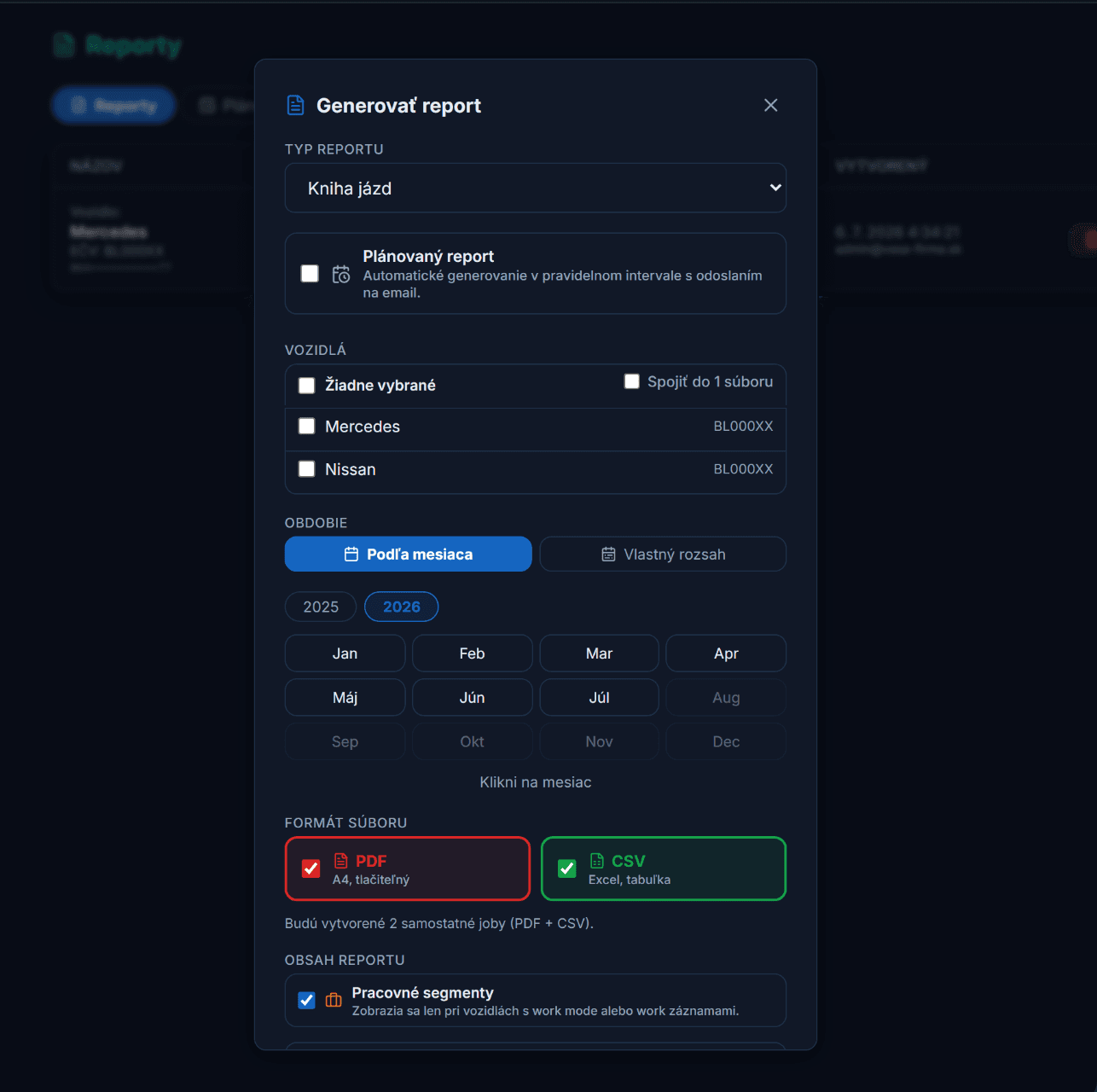
Download the log for any period as a CSV file, ready for archiving or for an inspection. Machine reports can additionally be generated as PDF or CSV and delivered by e-mail on a recurring schedule, so the documentation is prepared without anyone having to remember it. Every entry keeps an audit trail of who created it and when it was last edited.
Want to keep the log paper-free?
We will show you how the operating log works on your machines and configure the reports the way you need them.
Note: this article is informational only and does not replace legal advice or an assessment of your specific obligations as an operator.